HeySummitH
HeySummit
5h ago

Hide or Display content Areas of Logged in

Initially I was going to request a different homepage for logged in users. Whilst that would work, I figured if content blocks in the editor had an option to display or hide content based on whether a user was logged in or not, that would offer even greater opportunities and flexibility. Bonus points if we could restrict based on existence or not of specific ticket types.
CompletedCompleted

4 hours ago

I took another look at this @ben and thought the feature existed for a moment. Alas no, but it may help here in any case - and simplify my initial request. In Settings > Event Settings > Other Settings we have options for a landing page redirect, and redirect on login. If we could set a landing page redirect based on a user being logged in or indeed not logged in that would solve my issue. If a user is not logged in and going to the event homepage they get a sales lander. If they are logged in the get more of an event overview. Maybe “Attendee Landng Page Redirect” as an additional option, if logged in the user see’s different content. I would need to maintain two separate homepages. This would work just fine and maybe an alternative/easier approach in terms of platform maintenance, code base and all that god stuff you have to worry about.

4 hours ago

Hey Andrew, thanks for this extra info. I think this might be the simplest solution actually. Rather than update the page builder, so that individual blocks can be shown or hidden based on logged-in state, I think the solution here is to add an additional field in the event other settings area, as you suggested, so that we can create a custom landing page redirect for logged-in attendees. This will basically mean that you can either redirect them to a completely different site if you wanted to, or in your case, redirect them to a separate custom page that you create. FYI, when you create a custom page via the header links area, you can optionally only make that available to logged-in attendees. Pairing those two things together will give you exactly what you want: i.e. the ability to redirect logged in attendees that go to the landing page to a different landing page, and at the same time, the confidence knowing that only people registered will be able to access that custom landing page. Does that align with what you were thinking? If so, we should schedule it into to be done this week.

4 hours ago

This would very much work, thanks Ben

4 hours ago

I had meant to say the ability to hide based on logged in or not seems to be inherent functionality, so maybe I am missing a feature already in place…

4 hours ago

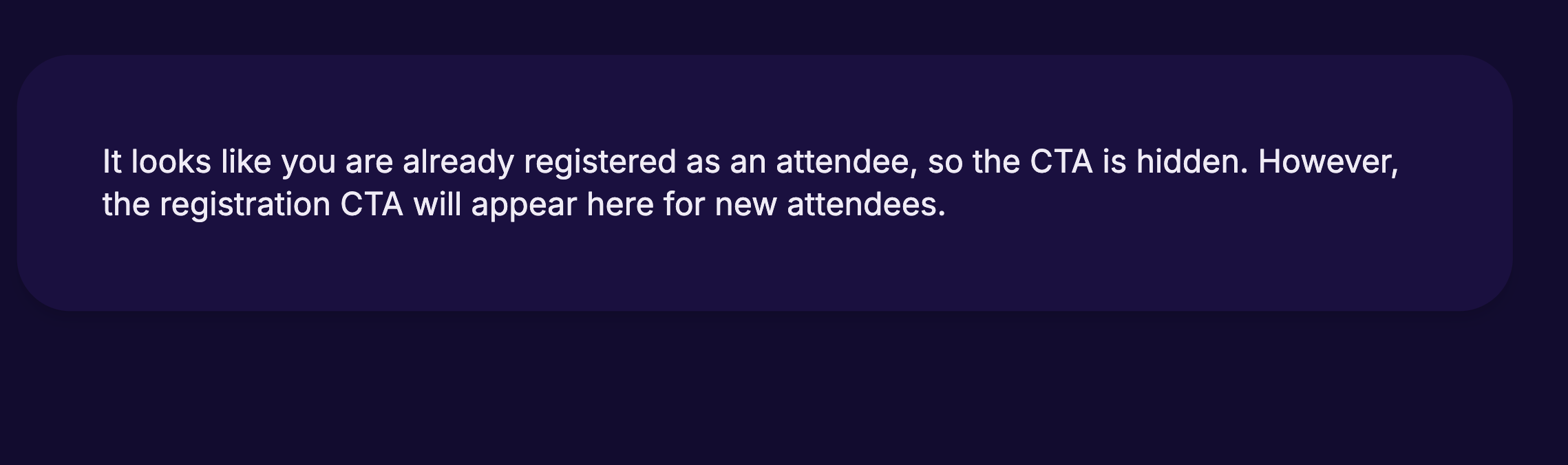
Yeah, many of the landing page components alter their behaviour slightly depending on whether someone is already registered or not. For example, in the case of this call-to-action registration widget, it's hidden to attendees that are already registered.

4 hours ago

Okay, this has now been actioned. Full details are in our changelog below. https://heysummit.userjot.com/updates/p/custom-landing-page-…