
Sep 9
Issues with 'Evergreen' events
Hi Ben and team,
I’ve been testing how to use HeySummit for evergreen (pre-recorded) information sessions, and I’ve run into a few challenges I’d love your help with.
1. Replay Access Problem
- When I set up an event to reschedule itself within an hour of its screening, attendees who missed the session don’t have the opportunity to view the replay.
- Once a new session is scheduled, the replay link for the previous one disappears, which prevents people from catching up.
2. Workaround & New Issues
- My current workaround has been to create a duplicate event for a few days later. This allows attendees to watch the replay in the gap between the two events.
- However, this creates two major problems:
- Email Repetition: I’ve set it up so people are enrolled in ‘all events’. But even if I mark attendees to be “cleared,” after an event they continue receiving repeat replay reminders for each duplicated event, which quickly becomes spammy.
- Replay History Clutter: The event history shows multiple replays of the exact same pre-recorded video, which is confusing and unnecessary.
3. What’s Needed
Ideally, the system should allow:
- A single evergreen event that people can always sign up for.
- A countdown timer for urgency, while still giving access to the replay if they miss it.
- Replay history that doesn’t display the same video multiple times.
- A way to ensure attendees don’t get enrolled into each “rescheduled” session and bombarded with repeat reminder emails.
Could you advise if there’s a current solution or if this is something on your roadmap? At the moment, the limitations make it difficult to run seamless evergreen information sessions.
Thanks so much for looking into this!
Smiles
Leah
Reviewing
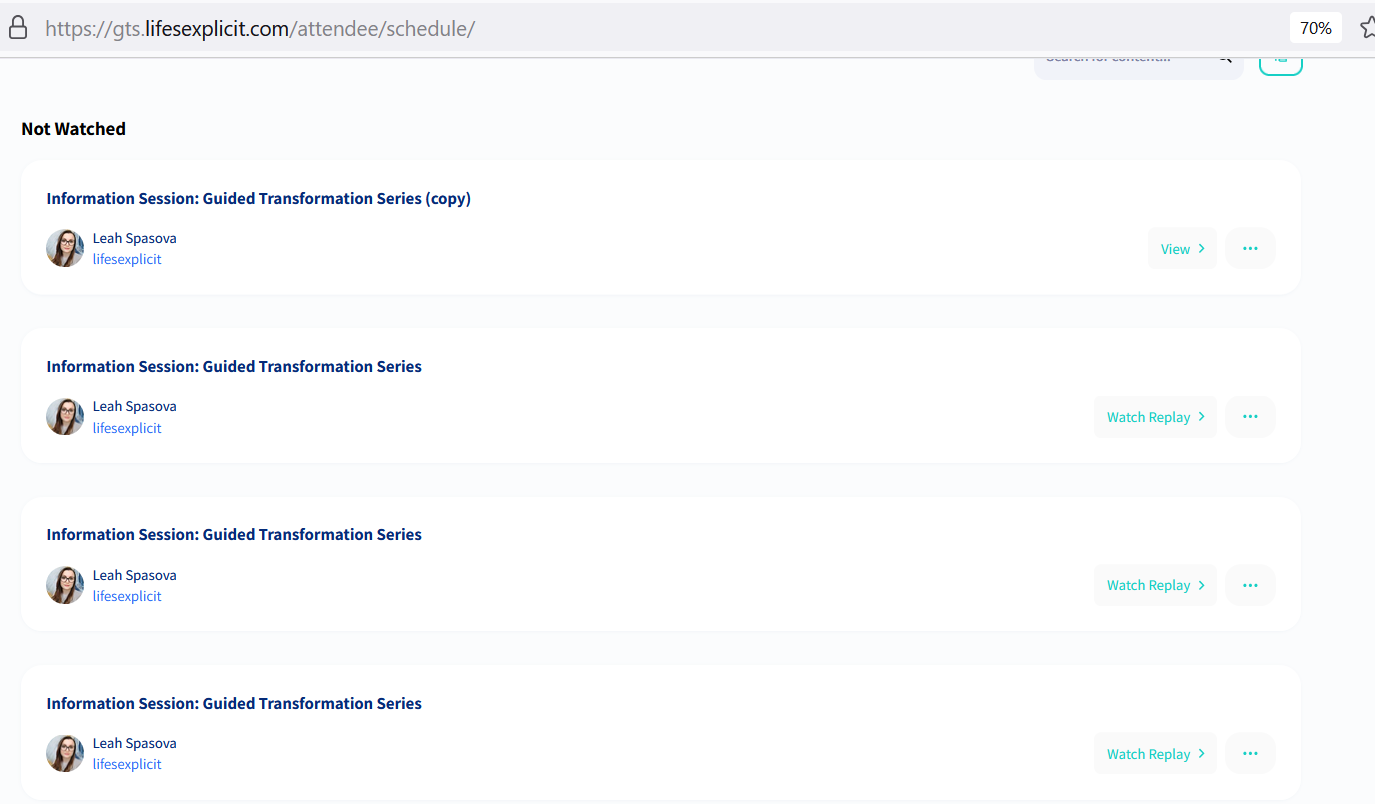
We’re going to be using Evergreen talks too, so I was a bit worried to read about the issues here. We want to do exactly the same as Leah. Content will replay on a monthly basis. Those who registered previously should ideally only have access to “Live” sessions for the dates they signed up for plus the replays. Those who sign up for subsequent (evergreened) sessions should have access only to the “Live” one that they registered for (and associated replays). From talking with Jerica, it seems that anyone who registers gets access to every run which is not ideal and really needs to be worked on. More importantly though, I don’t think anybody should log in and see duplicate replays because of the first issue! This looks messy and even buggy :) Is there not at least a quick solution for now wherein the team can implement a rule that provides replay access only to the talks relating to the dates that the person registered for?