HeySummitH
HeySummit
5h ago

Make categories visible if there is at least one category

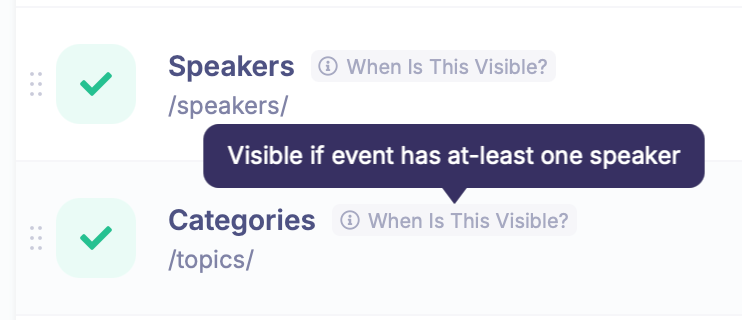
I couldn’t figure out why my categories are not showing, until I noticed that categories only show if there is at least one speaker. I am setting up a new multi-day event with pre-recorded video’s and I don’t need a speaker for this event. I use five categories, one for each day. The pre-recorded video’s are categorized per day. The category describes the theme of the day.
CompletedCompleted

4 hours ago

Thanks for showing this Henk, we'll take a look over the next few days to see if there's anything we can do to assist with this.

4 hours ago

This is how it looks when the videos are categorized. Technically I can add a speaker, but I wouldn’t connect any talk to this speaker. And then I would need to adjust some settings to not show the speaker anywhere.

4 hours ago

Hi Henk, We’ve just been looking into this, and I think this should all be already working in the way that you're thinking, but the tooltip that was appearing on the header links area in Setup > Header Links was maybe a bit misleading. Basically, we will always show categories in the main menu if you have at least one category linked to either a talk, a speaker, or both. In your case, since it's linked to a talk, the categories area will appear in the header. We did notice one potential issue though, that would prevent talks on that category page to show if they weren't linked to speakers. So, we've just rolled out a fix to show them irrespective of whether the talk links to a category has a speaker or not. Can I please ask you to double-check whether everything is displaying properly for you? And if not, can you provide some instructions as to where it's showing wrong and what you're expecting? I couldn't quite get that from your original feedback description. Many thanks